Watching Moon Shadows Move
Years ago I tried taking a time lapse of certain moon craters night after night, but the shadows move a lot in 24 hours and it didn’t make the effect I was going for. Last night I took advantage of the clear skies and nice weather to take a time lapse of the moon from 8:15pm EDT to 10:35pm EDT in 10 minute intervals.
I used my 10” dobsonian telescope, my ZWO ASI290MC camera, and captured ~200 frame video bursts. In the end I had 15 individual captures to process, each between 1-2gb in size
This project required a LOT of post processing and experimentation. After a quick and dirty animation I realized that the exposure changed slightly as the sky got slightly hazy for a few shots. Another issue was aligning the images, the moon rotates as I take images, and finding software to cancel out this effect was harder than I expected!
So lets go through the process step by step:
Stacking:
Each video was stacked in Autostakkert using 50% of the frames. This was the most straight forward process in the entire project..
Wavelet Sharpening:
Next I applied the same wavelets profile in Registax to each image. Essentially I sharpened the first image, and then I dragged and dropped all the other images in and applied the wavelets without changing anything.
At this stage I had 15 sharpened frames, but they’re all different sizes, slightly different exposures, and all different rotations.
Exposure Correction:
All the images were loaded into Darktable where I did some basic color adjustments. I also adjusted the white and dark levels to get true blacks to make the shadows pop a bit more.. A crop was applied around the region I was interested in so that all the images would have the same dimensions. The biggest correction was the exposure, and thankfully Darktable has a really nice feature where you can select a region of each image and it will attempt to normalize the exposure between them. This was I was able to cancel out some effects of the hazy sky for a few images.
Image Alignment:
This gave me all sorts of trouble. I though that PIPP would be able to handle this but I couldn’t get it to work at all. Second I tried manually aligning and rotating them in GIMP, this worked ok but the final sequence wasn’t as rock solid as I was looking for. I tried something called Hugin that was suggested online, I couldn’t get that to work AT ALL. Finally I found ImageJ. ImageJ isn’t the most user friendly program, it seems it’s mostly used by graduate students to align microscope images, but it’ll work in this case! After trying to fight with installing plugins I finally found a version of ImageJ called “Fiji” that comes with the correct plugins installed.
ImageJ has a function called “Registration”, and the specific one is called SIFT (scale invariant feature transform). Thankfully this one worked first try with no crazy settings to fiddle with.
Final Adjustments:
The images were loaded back into Darktable for some final rotation and crop adjustments. I tweaked the blacks a bit one last time to make sure the shadows really popped.
Making an Animation:
The final animation was created on EZGif.com. It’s a simple site, just drag the files in, set how fast the frames run, and hit go!
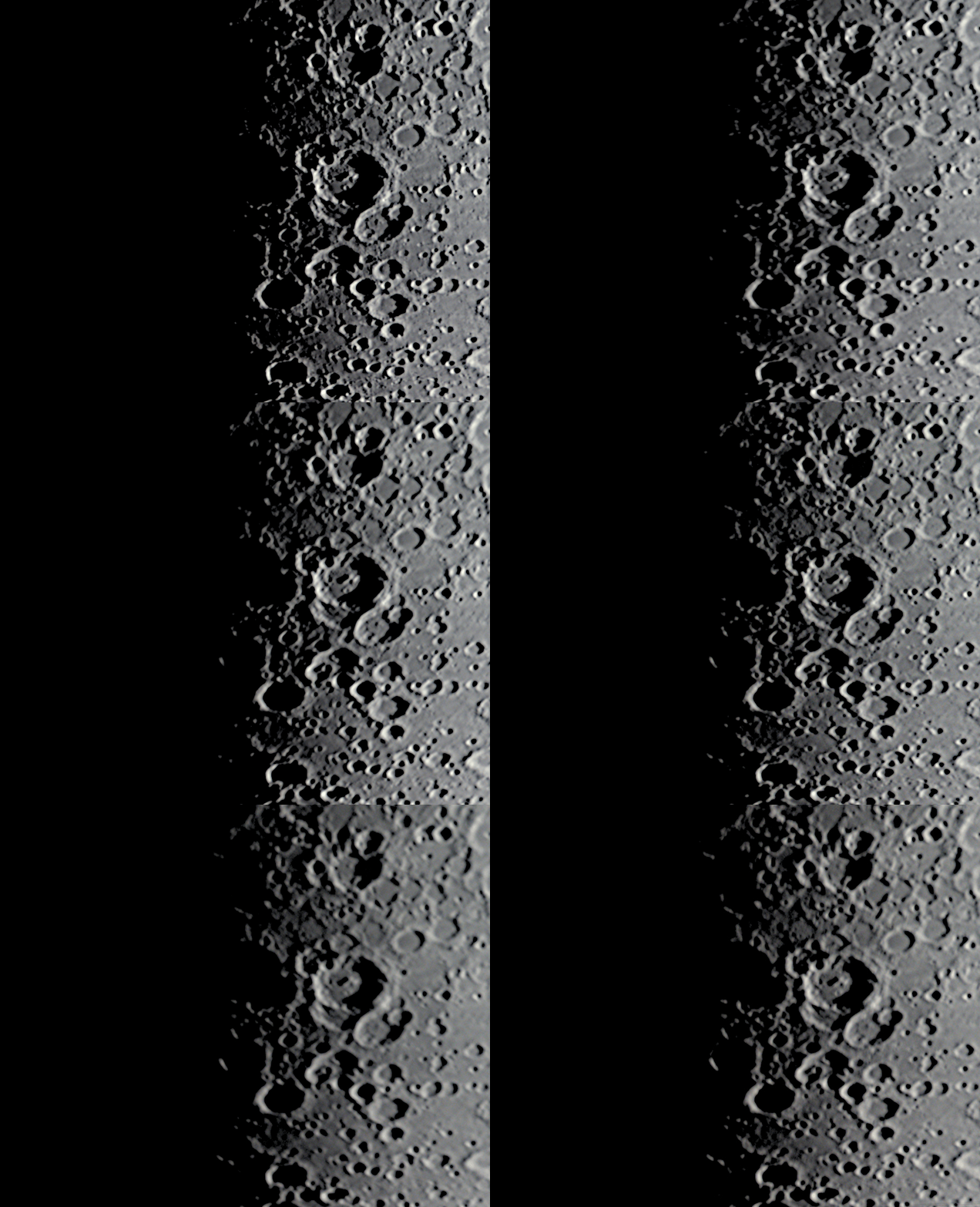
I LOVE how this came out. You can clearly see the shadows shrinking and other mountain peaks on the left starting to be lit.
It takes nearly 2 hours for the moon to rotate 1 degree, so to see the movement of the shadows you need to look at mountains right along the terminator with very long shadows. I was nervous the 2+ hours I was outside wasn’t going to be enough to see the effect, but it turned out great! I only wish I was able to stay out for 3-4 hours!